

Over the last few decades, games have become living products, with frequent patches and DLC. If the online services that make these updates available ever go offline, games will become locked in whatever state they exist on your device — if they exist at all. This inevitable fate is nothing new; reporter Kyle Orland detailed it at length for Ars Technica almost a decade ago.
As a Switch gamer, there's not much I can do to help preserve the games I play. So I instead ensure what I have on my system is always at the latest version, precluding a future where a patch was released but never downloaded before it was taken offline.
There's just one problem: the Switch's "Auto-Update Software" setting doesn't work the way Nintendo says it does.
Navigate to the System section, then set the Auto-Update Software option to On. Updates to installed software will be downloaded automatically while the Nintendo Switch system is connected to the Internet.
"How to Update Software on Nintendo Switch"
Even with this setting enabled, there are only two circumstances under which software will be automatically updated:
- When you launch a game and an update is available; or
- The game is one of the last twelve you've played, earning it a place on your home screen. (Thanks for this tip, reddit!)
But there are far more than twelve games in my backlog. What happens if I want to play something I bought five years ago? Not only do I want it to boot right away without waiting for patches, but I want those patches to still be available, whether I'm offline or Nintendo is.
I thought the only alternative was to periodically request a manual update for each game in my library.

Fortunately, the good folks at Perfectly Nintendo have a far more elegant solution. Their website has an entire category dedicated to daily software updates and changelogs. Better yet, the category has an RSS feed: without even giving Perfectly Nintendo your email address, you can subscribe to receive that category's headlines, scanning them for the games you own. Once you spot a match, just boot up your Switch and update that game.
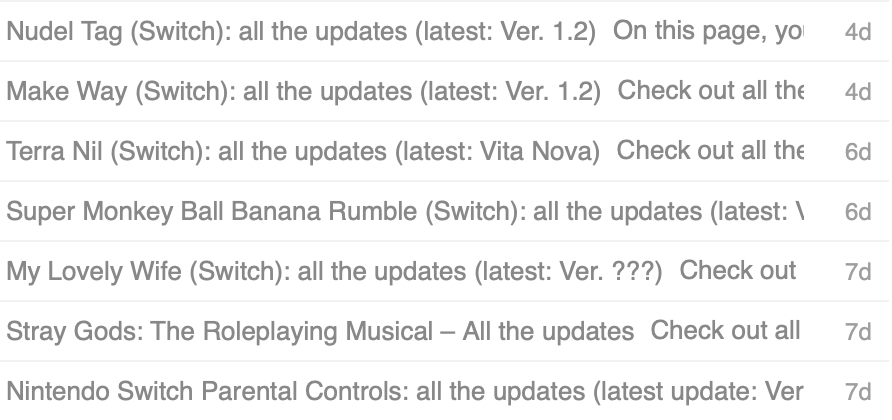
Subscribing to the RSS feed requires an RSS reader. I recommend Feedly, whose free plan supports up to 100 feeds sorted into three folders, which has always suited my needs. (There are plenty of other RSS readers out there, too; WIRED has some solid recommendations.)
Now you'll always have your games primed and ready to play, no matter where you are or what the future may hold!
